Digital journaling and planning feel much more enjoyable when your pages have a personal and creative touch. Many people use cozy visuals and cute designs to make their study notes, planners, and journals feel less stressful and more inspiring to use every day.
That is why cozy-themed cat stickers have become so popular among students, creators, and digital planner users. They add warmth, personality, and comfort to simple layouts without making the page look crowded or distracting.
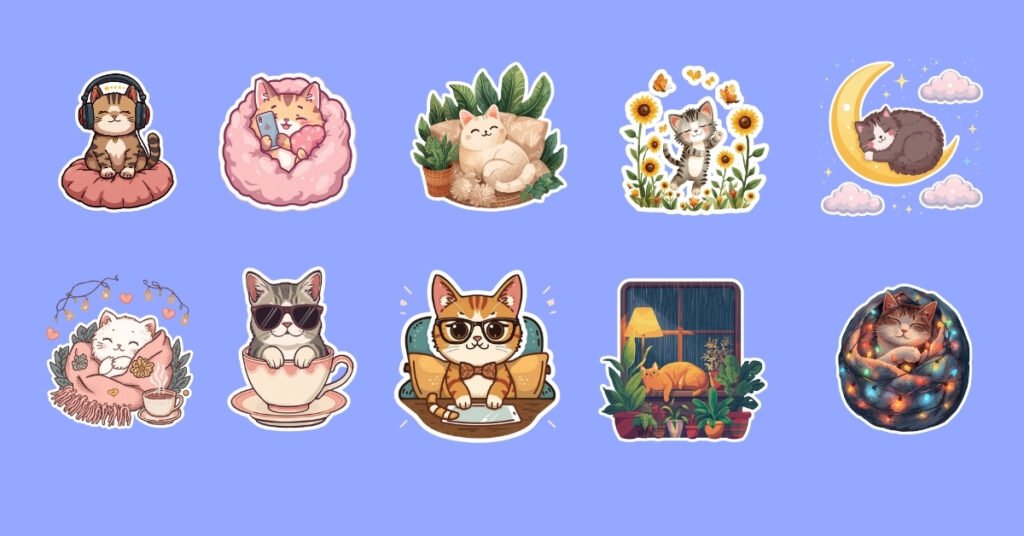
In this free sticker pack, you will get 50 free cozy cat stickers designed for digital journals, planners, study notes, and aesthetic workspace setups. The collection includes high-quality transparent PNG stickers that are easy to use on apps like Good Notes, Canva, Notability, Samsung Notes, and other digital planning tools.
These digital planner stickers are designed to work well for different creative styles and everyday use cases, including:
- Digital journaling
- Weekly planning
- Study notes and revision pages
- Habit trackers
- Scrapbook layouts
- Aesthetic social media designs
If you enjoy calm, cozy, and creative digital spaces, these journaling stickers can help make your notes and planner pages feel more fun, organized, and personal without requiring advanced design skills.
Table of Contents
What’s Included in the Free Sticker Pack
This free cozy cat sticker pack is designed for people who enjoy digital journaling, aesthetic planning, creative note-taking, and cozy workspace setups. Every sticker is created to be simple to use, visually clean, and compatible with popular digital planning apps.
Whether you are a student, creator, or planner lover, these free digital planner assets can help make your notes and layouts feel more creative and personal without adding extra complexity.
File Format
All stickers are provided in high-quality PNG format with transparent backgrounds. This makes it easy to place the stickers on different page colors, planner templates, and digital journals without unwanted white borders.
The transparent PNG stickers are designed for smooth resizing and easy drag-and-drop use across multiple apps and devices.
You will get:
- PNG sticker files
- Transparent background
- High-resolution quality
- Easy-to-use digital format
Number of Stickers
This collection includes 50 individual cozy cat stickers with different relaxing and aesthetic themes. Each sticker has its own unique design style to help you create more personalized journal pages and planner layouts.
The pack includes cozy scenes and cute cat designs such as:
- Reading cats
- Sleeping cats
- Coffee-themed cats
- Study desk setups
- Blanket and winter themes
- Calm rainy day designs
Compatible Devices and Apps
These journaling stickers are compatible with many popular digital planning and note-taking apps. You can use them for school notes, productivity planners, creative journals, mood trackers, and social media designs.
The stickers work well with:
- Good Notes
- Notability
- Canva
- Samsung Notes
- Procreate
- iPad tablets
- Android tablets
Because the files use a simple PNG format, they are beginner-friendly and easy to import into most digital apps.
Personal Usage
These cozy cat stickers are free to use for personal projects such as digital journaling, study notes, planners, habit trackers, and creative layouts. You can use them to make your digital pages feel more organized, aesthetic, and enjoyable to work with.
The sticker pack is created for personal use only and is not allowed for resale, redistribution, or commercial use. This helps protect the original artwork while allowing everyone to enjoy the stickers freely for everyday creative use.
How to Use Cozy Cat Stickers in Digital Journals and Planners
Downloading stickers is only the first step. The real value comes from using them in a way that makes your digital journal, planner, or study notes feel more organized, creative, and enjoyable to use every day.
Many people use cozy digital planner stickers not only for decoration but also to improve focus, organize pages faster, and make planning feel less repetitive. Small visual elements can make digital pages feel more personal and easier to revisit later.

Use Them to Organize Study Notes
Cozy cat stickers can help students organize subjects and revision sections in a simple visual way. Instead of scrolling through plain notes, stickers can create quick visual markers that make pages easier to recognize and navigate.
You can use journaling stickers for:
- Subject dividers
- Weekly revision sections
- Habit tracking pages
- Important reminders
- Study goals and checkpoints
For example, a reading cat sticker can mark language notes, while a coffee-themed sticker can highlight revision tasks or productivity pages. Simple visual organization can make long digital notebooks feel less overwhelming.
Create a Cozy Weekly Planner Layout
Many digital planner users create cozy layouts to make planning feel calmer and more motivating. A clean planner with warm visuals often feels more inviting than a plain page filled only with text.
You can use cozy cat stickers in sections like:
- Morning routines
- Daily focus blocks
- Weekly goals
- Mood trackers
- Self-care reminders
Adding small visual elements around schedules and tasks can also help reduce the “blank page” feeling that many people experience while planning digitally.
Make Boring Notes Feel More Personal
Digital notes sometimes become repetitive, especially during long study sessions or busy work weeks. Adding aesthetic stickers can make simple pages feel more creative without making them distracting.
Many students and creators use visual layouts because they help pages feel easier to remember and more enjoyable to review later. Even small design changes can improve how organized and comfortable a workspace feels.
Personally, I noticed that cozy-themed visuals made long digital study sessions feel less tiring. A simple sticker near headings or revision sections can make a planner feel more alive and less mechanical.
Use Stickers for Content Creation
These free cozy cat stickers can also be useful for simple content creation projects. Since the files come in transparent PNG format, they are easy to place inside templates, social graphics, and printable layouts.
You can use them for:
- Pinterest graphics
- Instagram story templates
- Printable journals
- Digital scrapbook pages
- Aesthetic planner previews
Because the designs are soft and minimal, they work well with many creative styles without making layouts look crowded or overly busy.
Best Apps for Using Digital Planner Stickers
Choosing the right app can make a big difference when using digital planner stickers and journaling stickers. Some apps are better for handwritten planning, while others work best for creative layouts, study notes, or social media content.
The good thing about transparent PNG stickers is that they are flexible and beginner-friendly. Most digital planning apps support simple drag-and-drop sticker use, which makes decorating journals and planners much easier even for first-time users.

Good Notes
Good Notes is one of the most popular apps for digital journaling and handwritten planning on iPads. Many students, creators, and planner users prefer it because the writing experience feels smooth and natural.
This app is best for:
- Digital journaling
- Handwritten planning
- Study notes
- Daily productivity layouts
- Habit trackers
Cozy cat stickers work especially well in GoodNotes because users can easily resize, move, and organize stickers across planner pages without losing image quality.
Canva
Canva is a beginner-friendly design app that works well for both personal and creative projects. It is a popular choice for creators who want to make aesthetic layouts without needing advanced editing skills.
This app is best for:
- Printable planners
- Pinterest graphics
- Instagram story templates
- Mood boards
- Creative journal pages
Because Canva supports transparent PNG stickers, it becomes easy to create clean and visually appealing designs using cozy-themed sticker packs.
Notability
Notability is widely used by students for note-taking and lecture organization. The app combines handwritten notes, text, and visual elements in a simple workspace that feels easy to manage during busy study sessions.
This app is best for:
- Lecture notes
- School organization
- Revision pages
- Digital notebooks
- Subject planning
Many students use journaling stickers in Notability to separate chapters, highlight important sections, and make study materials feel less crowded.
Samsung Notes
Samsung Notes is a strong option for Android users who want a simple digital planning and journaling experience. It supports handwriting, image importing, and easy note organization across tablets and mobile devices.
This app is best for:
- Android tablets
- Digital planning
- Quick note-taking
- Daily scheduling
- Creative study layouts
Transparent PNG stickers work smoothly in Samsung Notes, making it easy to personalize digital pages without needing additional design apps.
Which App Is Best for Beginners?
If you are completely new to digital planning, Canva and Good Notes are usually the easiest places to start. Canva is simple for drag-and-drop designing, while Good Notes gives a more realistic journaling and handwritten planning experience.
For students, Notability and Samsung Notes are practical choices because they combine organization, note-taking, and visual customization in one place.
Free Download 50 Cozy Cat Stickers
You can download all 50 free cozy cat stickers in one simple ZIP file and start using them immediately in your digital journals, planners, study notes, and creative layouts. The stickers are designed to work smoothly with popular apps like Good Notes, Canva, Notability, and Samsung Notes.
What You Will Get
This free sticker pack includes high-quality transparent PNG stickers that are easy to resize, move, and organize across different digital planning apps and devices.
Inside the ZIP file:
- 50 individual cozy cat stickers
- Transparent PNG format
- High-resolution files
- Organized digital sticker pack
- Compatible with iPad and Android tablets
Sticker Pack Information
The download is lightweight and beginner-friendly, making it easy to access even on mobile devices and tablets. After downloading the ZIP file, simply extract the folder and import the stickers into your preferred journaling or planner app.
File details:
- File format: ZIP
- Sticker format: PNG
- Background: Transparent
- File size: 49 MB
Download the Cozy Cat Sticker Pack
Preview the sticker collection below and download the full pack using the button provided. The process is quick and does not require complicated setup steps.
Download 50 free cozy cat stickers
Thank You for Downloading
Thank you for supporting our free digital resource collection. We created these cozy cat journaling stickers to help students, creators, and planner lovers make their digital spaces feel more creative, calm, and enjoyable to use every day.
More free digital planner stickers, journaling assets, and creative resources will be added in future collections.
Conclusion
Digital journaling and planning become much more enjoyable when your workspace feels personal and creative. Small visual details like cozy cat stickers can turn simple notes and planner pages into something more calming, organized, and fun to use every day.
This free sticker pack was created for students, creators, journal lovers, and anyone who enjoys aesthetic digital spaces without making planning feel complicated. Whether you use these stickers for study notes, weekly planners, or creative layouts, the goal is to help make your digital setup feel more comfortable and inspiring.
If you are new to digital journaling, this is a simple and beginner-friendly place to start. Even adding a few cozy-themed journaling stickers to your pages can make long study sessions and busy schedules feel less repetitive.
You can also explore more free digital planner stickers, aesthetic assets, and creative resources to continue building your own personalized digital workspace. New free sticker packs and cozy-themed collections will be added in future updates.
If you have ideas for future sticker themes or creative resources, feel free to share your suggestions and feedback. Reader ideas often inspire the next collection and help make these free resources more useful for everyone.
Frequently Asked Questions
Are these cozy cat stickers completely free to download?
Yes, this sticker pack is completely free to download and use for personal projects like digital journaling, planners, study notes, and creative layouts.
What file format are the stickers provided in?
All stickers are provided in high-quality PNG format with transparent backgrounds. This makes them easy to use in different digital planning and design apps without unwanted white borders.
Which apps can I use these digital planner stickers with?
These cozy cat stickers are compatible with many popular apps, including GoodNotes, Canva, Notability, Samsung Notes, and Procreate. They can also be used on both iPad and Android tablets.
Can beginners use these journaling stickers easily?
Yes, the stickers are beginner-friendly and simple to use. After downloading the ZIP file, you can import the PNG stickers directly into your favorite journaling or planner app.
Can I print these cozy cat stickers?
Yes, you can print the stickers for personal use if you want to create physical journals, planner pages, scrapbook layouts, or study materials.